Loading...

Loading...
Production systems we've designed and shipped, spanning transport management, fintech compliance, and distribution platforms — each built with the same architecture-first approach, regardless of industry.
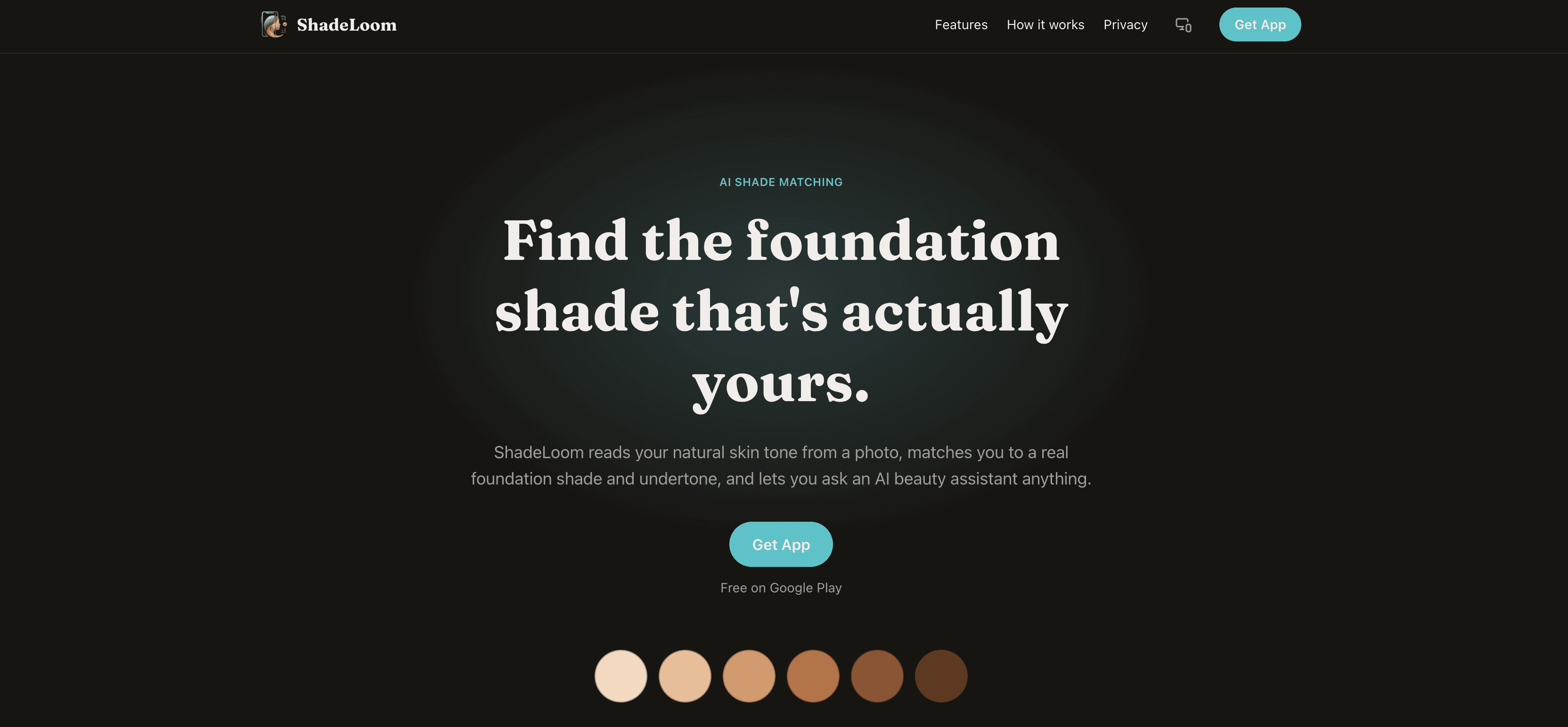
One photo, one shade ShadeLoom turns a single front-camera photo into a foundation recommendation. It reads the skin tone out of the image, estimates the undertone, matches it to a shade in a first-party product catalog, then finds the closest equivalents across other real cosmetics brands. A built-in assistant answers follow-up questions with the scan result already in context, and a timeline tracks how a person's undertone reading trends across repeat scans. It ships as two independent codebases — no monorepo, no shared code: a React Native client built with Expo and Expo Router, and a Next.js backend that also serves the marketing site and an internal admin panel. Why it exists Foundation shopping is guesswork A single foundation line can carry forty-plus shades. The difference between two neighbours is a few degrees of warmth, and the label language — neutral , golden , cool beige — doesn't map cleanly to what a person sees in the mirror. Swatching in-store is unreliable under retail lighting; online it's impossible. Most shade finders lean on a quiz. ShadeLoom's premise is that the camera already has the answer — if the pixels are sampled carefully and matched in a perceptually uniform color space. What we built Three surfaces The product is one system with three faces, each with a job it does well and a clean boundary to the others. SurfaceBuilt withDoes Mobile appExpo SDK 54, Expo Router, React NativeScan, review, results, cross-brand matches, virtual try-on, assistant, timeline, account Backend APINext.js 16 App Router, MongoDB / Mongoose 9Auth, the scan job pipeline, AI orchestration, shade math, Cloudinary + email Admin & marketing webNext.js, Tailwind CSS v4Landing page, privacy policy, public account-deletion form, deletion-request review panel The mobile app runs in Expo Go rather than a custom dev client — a deliberate constraint that keeps builds reproducible and the iteration loop fast, at the cost of ruling out any dependency with custom native code. How a scan works Camera to shade, step by step The client requests a short-lived signed Cloudinary upload and sends the photo straight to storage — the API secret never touches the device. It POSTs the resulting URL to the scan endpoint as JSON, which enqueues a job and returns an id. The client polls the job until it resolves. Server-side, BlazeFace (TensorFlow.js, wasm backend) locates the face — or the job fails with a 422 the app surfaces as "Face not detected" . sharp samples an average color over a central cheek-and-nose rectangle of the detected face box. That color is converted sRGB → linear → XYZ → CIE Lab and matched by ΔE76 distance against the first-party shade catalog, plus the three nearest shades across other brands' catalogs. A Groq vision model returns an undertone assessment and a suggested shade name, with a coordinating lipstick / blush / eyeshadow set. The result is written as a self-contained snapshot — shade, undertone, AI notes — so scan history never breaks when a catalog entry changes later. AI is degrade-not-block throughout: if Groq is unavailable, the scan still returns its ΔE match with no suggestion. The one exception is the assistant chat, which returns a 502 rather than a hollow reply. The design system Warm Porcelain The current look is the third full visual pass. It followed a neutral-and-teal system and a plum-and-coral one before landing on Warm Porcelain: a porcelain-cream canvas, a rose-clay accent ( #9E5661 ), espresso-black pill buttons with a circular trailing-arrow badge, and a warm-aubergine dark mode rather than a flat near-black. It is light-first — an inversion of the app's original dark-first default — and sets display type in Fraunces, a high-contrast old-style serif. The palette is defined once, as tokens, in the mobile codebase and ported to the web app as Tailwind v4 CSS-first @theme variables, so a color decision made for a screen shows up on the landing page with no second definition. Motion and depth on mobile come from a small, Expo-Go-safe set: moti for declarative animation on Reanimated @gorhom/bottom-sheet for sheets, expo-blur for frosted surfaces react-native-skia was trialled and dropped — it doesn't run in Expo Go Some of the harder parts Engineering notes Swiping past a live camera The three tabs are Home, Scan, More — with the camera in the middle. A stock swipe-between-tabs pager rendered a half-height CameraView inside the pager on Android and made a horizontal drag over the preview ambiguous: tab gesture, or camera gesture? The pager was reverted. The shipped answer is an edge-swipe gesture on Home and More only, X-axis biased so vertical list scrolling still wins; Scan stays tap-only, and the animated tab indicator follows either way. A cascade bug that hid every button label Porting the theme to web surfaced a latent bug: a bare, unlayered a { color: inherit } in the global stylesheet. In Tailwind v4 every utility lives in @layer utilities , and an unlayered rule outranks every layered one regardless of specificity — so that one line silently overrode text-* utilities on all links. The old teal buttons happened to survive it; the porcelain palette turned the CTA labels invisible. The fix was one line: move the rule into @layer base . One auth model, two clients Access is a short-lived JWT. The refresh token is opaque, hashed at rest, and rotated on every use. The web app keeps both in httpOnly cookies; the mobile app uses an Authorization: Bearer header. Signup confirmation and password reset both run on a six-digit email OTP. Screens From the Play Store listing The shipped build carries the outgoing neutral-and-teal system; Warm Porcelain lands in the next release. These are the store screenshots as they stand today. ScanA single front-camera photo starts every reading. UndertoneThe vision model returns a warm / cool / neutral read with reasoning. AccuracyA guided-tips sheet before every capture keeps input consistent. ControlProfile, theme, privacy policy and self-service account deletion. Status Where it stands ShadeLoom is on Google Play in closed testing — first build 2 September 2026, currently v0.0.2 (versionCode 2). The scan pipeline, cross-brand matching, virtual try-on, the assistant, the undertone timeline, full email/password auth, and self-service account deletion are all in the shipped build. There is no automated test suite. Every change is verified against a fixed trio: a type-check, a lint pass, and a real platform bundle — expo export for Android on mobile, next build for web. Colophon Stack at a glance LayerChoice MobileExpo SDK 54, Expo Router, React Native, Reanimated, moti, @gorhom/bottom-sheet Web / APINext.js 16 (App Router), React 19, TypeScript DataMongoDB, Mongoose 9 AIGroq — qwen3 vision for undertone, gpt-oss for text VisionTensorFlow.js + BlazeFace (wasm), sharp for pixel work Media & mailCloudinary, nodemailer over SMTP TypeFraunces (display), platform system sans (text) AuthJWT access + rotating hashed refresh, bcrypt, email OTP ShadeLoom is a product of Aqsa LogicByte. Case study prepared September 2026.
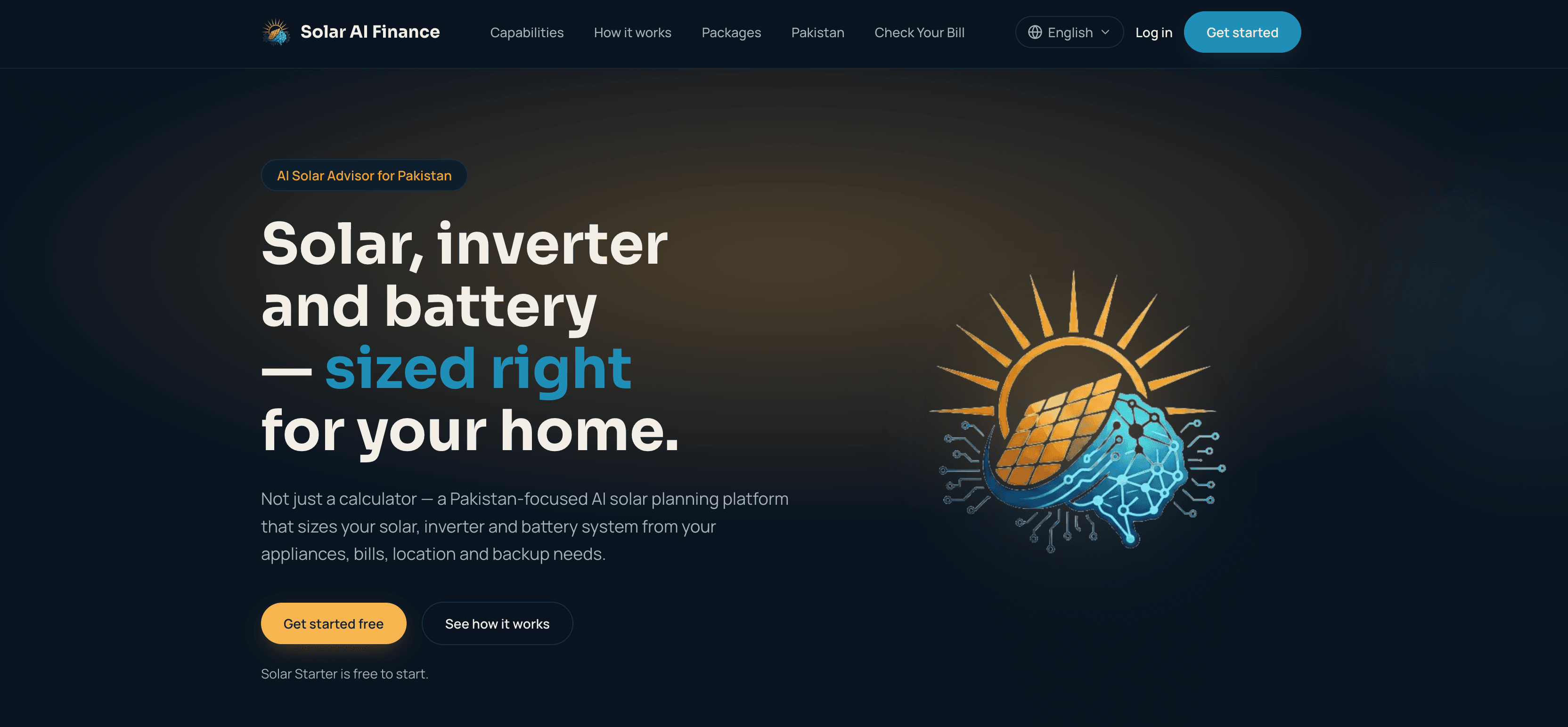
Case Study · Aqsa LogicByte Solar AI Finance: Building an AI Solar Advisor App for Pakistan A cross-platform product that turns a few questions about a household into a properly sized solar, inverter and battery system — with transparent cost and payback estimates tuned to Pakistani tariffs and load-shedding. Overview Solar AI Finance is an AI-powered solar advisor app for Pakistan. It analyses a household’s appliances, location, electricity provider and backup needs, then sizes an appropriate solar system and estimates its cost, savings and payback period. An in-app AI assistant answers follow-up questions about sizing, backup and net metering. Aqsa LogicByte designed and built the product end to end: a React Native mobile app and a Next.js web app that share a single backend and a single calculation engine, so a household receives identical recommendations on whichever platform it uses. This case study covers the problem, the product, the sizing and ROI methodology, the technical architecture, and the path from concept to a Google Play beta. The Problem: Solar Is Booming, but Buyers Are Flying Blind Electricity tariffs in Pakistan have risen sharply, and persistent load-shedding has pushed large numbers of households toward rooftop solar. The buying journey, however, is confusing and stacked against the consumer. Most homeowners have no independent way to know how many panels they need, what inverter rating to ask for, or how much battery storage actually covers their outages. They depend on a single installer’s quote, which is often oversized, hard to compare and impossible to sanity-check. Net metering rules, NEPRA regulations and DISCO-specific application procedures compound the problem: they are poorly documented and change frequently. The outcome is predictable — buyers overspend, under-plan their backup, or stall entirely. Aqsa LogicByte set out to build a neutral first opinion: a tool that gives any household a credible, transparent starting point before it ever speaks to an installer. The Solution: A Guided Solar Plan in Minutes The core of the product is the Solar Starter wizard, a short guided flow that produces a complete system plan: Location — province and city, used to tailor DISCO and regulatory information. Electricity provider (DISCO) — the distribution company shown on the user’s bill. Appliances — each appliance with quantity, wattage and hours of use per day, with a flag for the ones that must keep running during an outage. Backup target — 2, 4, 6 or 8 hours of battery backup, or no battery at all. From those inputs the app instantly returns daily energy consumption, recommended solar array size and panel count, inverter continuous and surge ratings, and battery capacity — all computed on the device. Users can name and save multiple plans, then rename, edit or delete them, making it easy to compare a “whole-house AC” scenario against a “fans and fridge only” one. Supporting tools Electricity bill check — look up a current bill directly from the user’s DISCO by reference number. Electricity bill history — save bills over time, including photo uploads where an AI model extracts the amount due, due date, units consumed and billing month, with a consumption trend chart. Pakistan solar regulations — a sourced, dated knowledge base covering net metering, NEPRA prosumer rules, tariffs and per-DISCO application processes. AI Solar Assistant — an in-app chat assistant for follow-up questions about sizing, backup and savings. Cost and payback projections — estimated system cost, year-one savings, payback period and 10- and 20-year net position across conservative, expected and optimistic scenarios. Downloadable PDF reports — a shareable plan summary generated server-side. When the regulations knowledge base lacks authoritative information, the assistant says it cannot answer confidently — rather than inventing a regulatory requirement. How the Solar Sizing Is Calculated Transparency was a design principle: every number the app shows can be traced back to a stated assumption, and the same calculation code runs on both web and mobile so results never diverge between platforms. Solar array size is derived from estimated daily consumption, Pakistan’s average peak sun hours (5.5) and a system efficiency factor (0.78). Panel count assumes 585 W N-type modules, the current standard rooftop panel on the Pakistani market. Inverter sizing starts from the user’s peak simultaneous load and adds a 25% surge margin to handle the startup currents of motors and compressors in air conditioners, water pumps and refrigerators. Battery sizing is based only on the appliances the user marked to keep running during an outage, multiplied by the chosen backup hours, then adjusted for depth of discharge and round-trip efficiency. Storage is expressed in roughly 5 kWh (48 V, 100 Ah) lithium modules, a common local unit. Financial projections use national-average inputs — an average unit rate of Rs 55/kWh, an installed cost of Rs 160,000 per kW of solar plus Rs 40,000 per kWh of usable battery, and a 25-year horizon. The three scenarios differ in annual tariff inflation (5%, 8%, 12%) and in how much of the modelled generation is actually realised, which also absorbs panel degradation and timing losses. Users can override the unit rate and system cost with their own figures to refine the estimate. Every results screen is explicit that these are planning estimates, not a site survey, and that the final design should be confirmed with a licensed installer. Technical Architecture Solar AI Finance is two clients on one backend. Mobile app FrameworkExpo SDK 54, React Native 0.81, React 19 NavigationExpo Router (file-based, typed routes) — a drawer wrapping a four-tab product area Formsreact-hook-form with yup validation Design systemCustom theme tokens and shared UI primitives; Sora for headings, Manrope for body Storageexpo-secure-store for auth tokens, AsyncStorage for preferences LocalisationCustom i18n context — full English and Urdu with right-to-left layout Builds & updatesEAS Build for store binaries, EAS Update for over-the-air fixes Web app and shared backend FrameworkNext.js 16 (App Router), TypeScript, React 19 StylingTailwind CSS v4 DatabaseMongoDB via Mongoose AuthCustom JWT access tokens with opaque refresh tokens, bcrypt hashing, email verification and password reset via one-time codes AIGroq — assistant and electricity-bill extraction EmailNodemailer over SMTP for transactional mail Image storageCloudinary for uploaded bill photos PDFReact-PDF for server-generated plan reports The most consequential architectural decision was keeping the solar and financial calculation modules identical on both platforms. The same household must get the same system size, the same panel count and the same payback figure whether it opens the web app or the phone, so the calculation layer is treated as a shared contract and kept in exact sync. Designing for the Pakistani Context Several product decisions were driven specifically by the local market: Urdu and RTL from day one. The entire app, not just marketing copy, is translated and lays out right-to-left in Urdu. Load-shedding as a first-class input. Backup duration is a core wizard step, because outage resilience is often the main reason a household buys solar. Local hardware defaults. Panel wattage and battery module sizes track what installers actually stock; when the market moved from 550 W to 585 W panels, the defaults and saved-plan recalculation followed. Regulatory honesty. The regulations knowledge base is sourced and dated, and the assistant declines rather than hallucinates when authoritative guidance is missing. Play Store data-safety compliance. A full account and data deletion request flow is built into the app and exposed on a public web URL. Delivery and Current Status The product was built UI-first, with each screen sequenced early so the design could be reviewed as it came together, and shipped incrementally. The first release delivered authentication, the Solar Starter wizard, saved plans, the DISCO bill check and full English/Urdu support. The following release brought a complete redesign, a new navigation model, a “no battery” sizing option, panel and battery purchasing guidance, and an expanded in-app About and “What’s new” section. Solar AI Finance is currently in beta (v0.1.0), distributed through Google Play Closed testing via an opt-in link, with premium features staged behind a “Coming soon” state ahead of the paid-tier launch. The AI Solar Assistant has been unlocked ahead of the rest of the paid features. Results and Impact A household can go from zero to a saved, named solar plan — system size, inverter rating and battery capacity — in a few minutes, without handing any installer its phone number. Every recommendation is backed by a visible assumption, giving buyers a concrete document to take to installers and to compare quotes against. One calculation engine across web and mobile means the two platforms can never give conflicting advice, which protects user trust as the product scales. The regulations knowledge base and AI assistant turn scattered, out-of-date net metering information into a single answerable resource. Technologies Used React Native, Expo, Expo Router, React 19, TypeScript, Next.js 16, Tailwind CSS v4, MongoDB, Mongoose, Groq AI, Cloudinary, Nodemailer, React-PDF, react-hook-form, yup, EAS Build, EAS Update. Frequently Asked Questions What does Solar AI Finance do? It sizes a solar, inverter and battery system for a Pakistani household from its appliances, location, electricity provider and backup needs, then estimates system cost, yearly savings and payback period. Is it a mobile app or a web app? Both. There is a React Native app for Android and a Next.js web app, and they share one backend and one calculation engine so recommendations match across platforms. How accurate are the estimates? They are planning estimates based on Pakistan national averages for sun hours, system efficiency, tariffs and equipment pricing. Real output depends on roof orientation, shading, equipment quality and installation, so the app recommends confirming the final design with a licensed installer. Does it support Urdu? Yes. The entire app is available in English and Urdu with full right-to-left layout. Who built it? Aqsa LogicByte, a software product studio. Solar AI Finance is a product of Aqsa LogicByte. Solar and financial figures reflect Pakistan national-average assumptions as of 2026 and are planning estimates, not financial advice.
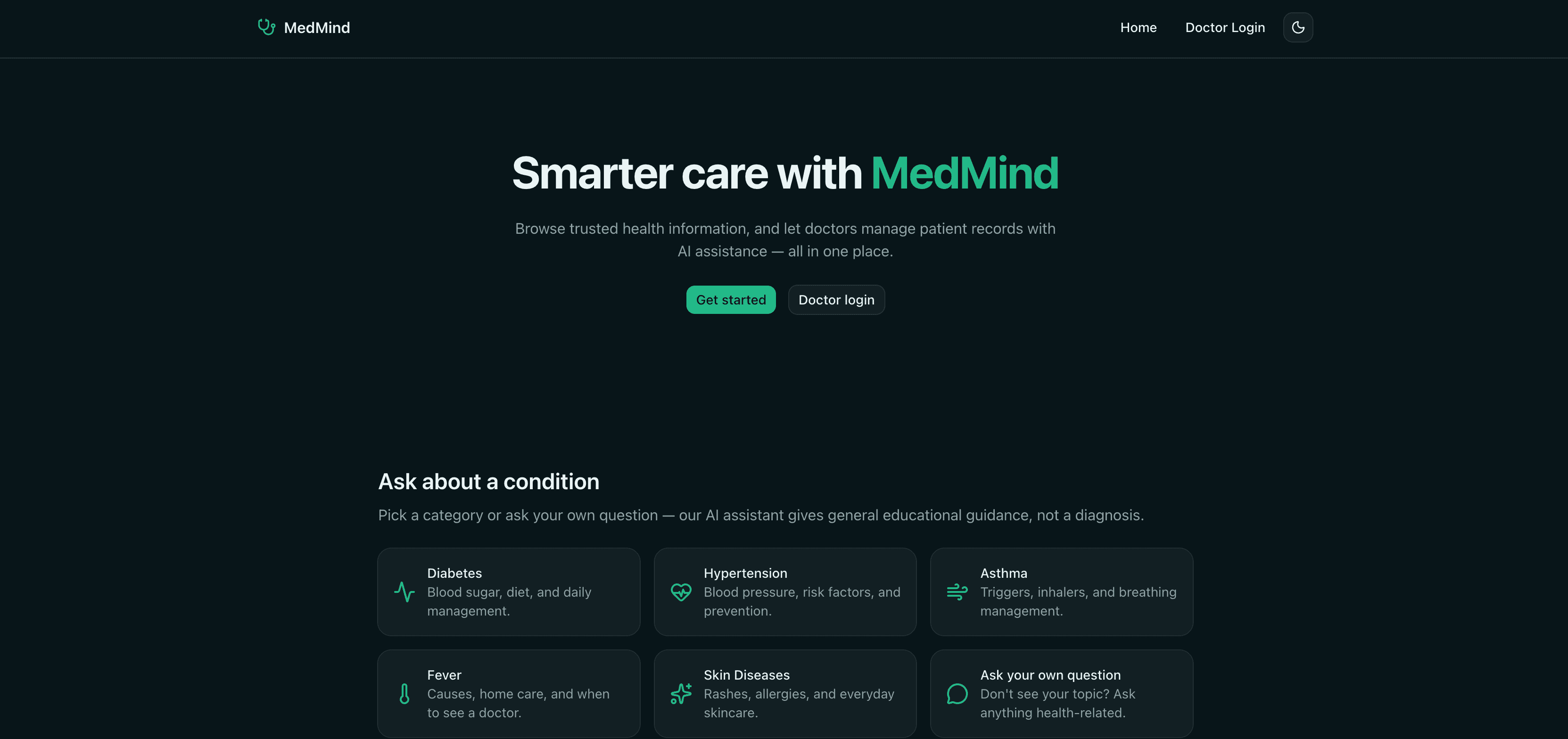
MedMind is an AI-assisted healthcare information and patient management platform designed to make medical information more accessible to patients while helping doctors manage patient records more efficiently. The platform provides a centralized digital environment where users can explore trusted health information and ask health-related questions through an AI assistant. Users can select common medical conditions such as Diabetes, Hypertension, Asthma, Fever, and Skin Diseases , or submit their own health-related questions. The AI assistant provides general educational guidance about symptoms, risk factors, prevention, everyday management, and when professional medical attention may be appropriate. The platform clearly positions the AI functionality as an educational tool rather than a replacement for professional medical diagnosis. Patient & Public Health Information MedMind offers an easy-to-use interface for people looking to understand common medical conditions. Instead of navigating through complex medical resources, users can select a condition or ask their own question and receive AI-generated educational information. The platform covers areas such as: Diabetes: Blood sugar management, diet, lifestyle considerations, and general daily management. Hypertension: Blood pressure, risk factors, prevention, and general health guidance. Asthma: Common triggers, inhaler-related information, and breathing management. Fever: Potential causes, home-care information, and guidance on when medical attention may be necessary. Skin Diseases: General information about rashes, allergies, and everyday skincare. Custom Health Questions: Users can ask questions outside the predefined categories and receive general educational guidance. Doctor Portal MedMind also includes a dedicated Doctor Login area designed for healthcare professionals. The doctor-facing side of the application is intended to provide doctors with tools for managing patient records while leveraging AI assistance to support their workflow. This creates two complementary experiences within the same platform: a public-facing health information and AI assistant experience, and a professional environment for doctors and patient record management. AI-Assisted Healthcare A key feature of MedMind is its use of AI to support healthcare information and clinical workflows . The AI assistant can understand users' health-related questions and provide relevant educational responses based on the topic being discussed. The system is designed with an important safety distinction: AI-generated responses are presented for general informational and educational purposes and are not intended to provide a medical diagnosis or replace professional medical advice . Overall Purpose MedMind brings together AI-powered health education, medical information, and doctor-oriented patient record management into a single platform. Its goal is to improve access to understandable health information for patients while providing healthcare professionals with a more organized digital environment for managing patient information. From a product perspective, MedMind can be described as an AI-powered healthcare information and patient management platform that bridges the gap between patients seeking understandable medical information and doctors managing patient records. Key capabilities include: AI-powered health information assistant General medical education and condition guidance Support for common health topics Natural-language health questions Doctor authentication and dedicated doctor portal Patient record management AI assistance for healthcare workflows Responsive and user-friendly healthcare interface Clear distinction between educational AI guidance and professional medical diagnosis Overall, MedMind is designed to provide smarter, more accessible healthcare information while supporting doctors with digital patient-management capabilities and AI-assisted workflows.
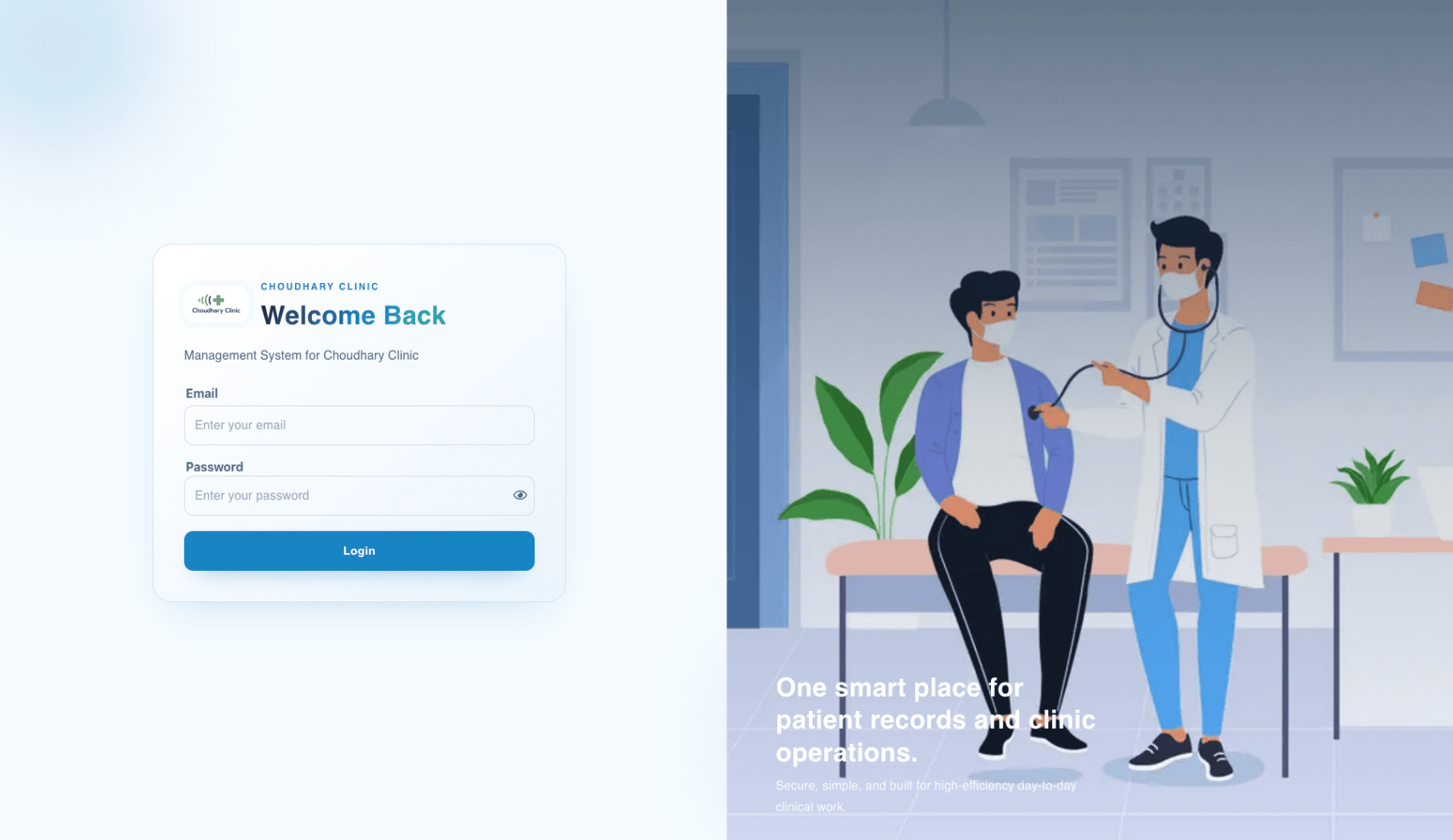
Project Overview The Clinic & Patient Management System is a full-stack healthcare management solution designed to simplify and digitize everyday clinic operations. Built using the MERN Stack — MongoDB, Express.js, React.js, and Node.js — the platform provides doctors and clinic staff with a centralized system for managing patient records, medical history, prescriptions, and clinic analytics. The primary goal of the project was to replace traditional, manual record-keeping processes with a secure, scalable, and user-friendly digital platform that improves operational efficiency and provides quick access to critical patient information. The Challenge Many clinics rely on paper-based records, spreadsheets, or disconnected systems to manage patient information. These approaches make it difficult to quickly access previous medical records, track patient visits, maintain accurate histories, monitor clinic performance, and generate reports. Doctors also need to spend valuable time searching through records and manually preparing prescriptions. The lack of centralized information can lead to inefficient workflows and make it difficult for clinic management to gain meaningful insights into daily operations. The challenge was to develop a system that could centralize patient information, simplify doctor workflows, provide real-time operational insights, and create a scalable foundation for future healthcare features. The Solution A complete Clinic & Patient Management System was developed to provide a centralized digital platform for managing patient and clinic information. The application enables doctors to securely create, update, view, and manage patient records. Each patient's information can be maintained in one place, while their visit and medical history can be automatically tracked over time. The system also includes a real-time dashboard that provides an overview of clinic activity, helping doctors and administrators monitor important statistics without manually compiling reports. Patient Management The platform provides a complete patient management workflow. Doctors can add new patients, update existing information, view patient profiles, and manage patient records through an intuitive interface. Patient information is stored in a structured database, allowing authorized users to quickly search for and retrieve records whenever required. Medical History Tracking Automatic history tracking is one of the core features of the system. Every new patient interaction can be associated with the patient's existing history, allowing doctors to review previous visits and medical information from a centralized profile. This makes it easier for doctors to understand a patient's previous records and maintain continuity throughout future visits. Real-Time Dashboard The system includes an interactive dashboard that provides real-time insights into clinic operations. Doctors and administrators can view key statistics such as total patients, daily visits, and doctor-related information. These insights help provide a quick overview of clinic activity and support better operational decision-making. Prescription Management Doctors can generate printable prescriptions directly through the platform. This removes the need to manually prepare prescription documents and provides a more organized workflow for creating and printing prescriptions for patients. The prescription functionality was designed to integrate naturally with the patient management workflow, allowing doctors to access relevant patient information while preparing prescriptions. Excel Export The application also provides Excel export functionality for relevant patient and clinic data. This allows administrators to generate structured reports for analysis, record keeping, and other administrative requirements without manually copying information from the system. Secure REST APIs The backend was developed using Node.js and Express.js with a RESTful API architecture. The APIs handle patient management, medical records, dashboard statistics, prescriptions, and other core application operations. Security, validation, and controlled access were considered throughout the backend architecture to ensure that sensitive patient information is handled appropriately. Responsive User Experience The frontend was developed using React.js with a responsive interface that works across different screen sizes. The user experience was designed around the workflows of doctors and clinic staff, making common tasks such as searching for patients, updating records, reviewing history, and generating prescriptions straightforward and efficient. Scalable Architecture MongoDB was used as the primary database because its flexible document-based structure is well suited for managing healthcare-related data and evolving application requirements. The system follows a clear separation between the React frontend, REST APIs, backend business logic, and database layer. This architecture makes the application easier to maintain and provides a foundation for scaling the platform as the number of patients, doctors, and clinic operations increases. Technical Challenges One of the key challenges was designing a data structure capable of maintaining patient information together with their historical visits and medical records. The system needed to make historical information easily accessible without creating unnecessary complexity in database operations. Another challenge was building dashboard statistics that could provide useful information while maintaining efficient database performance. Aggregation and optimized database operations were used to retrieve relevant metrics without unnecessarily processing large amounts of patient data. Data export was another important consideration. Patient information needed to be transformed from database records into a structured Excel format that could be easily used for administrative reporting and analysis. Results The completed system successfully transformed core clinic workflows into a centralized digital platform. Doctors can manage patient records more efficiently, review historical information, generate prescriptions, and access important clinic statistics from a single application. The system also reduces dependency on manual record keeping, improves accessibility of patient information, and provides a scalable technical foundation for expanding the platform with additional healthcare functionality. Future Enhancements The platform can be further extended with appointment scheduling, role-based access control, multi-clinic management, patient portals, SMS and email notifications, online appointment booking, digital medical reports, advanced analytics, audit logging, mobile applications, and AI-powered healthcare assistance. Conclusion The Clinic & Patient Management System demonstrates how modern full-stack technologies can be applied to improve healthcare management workflows. By combining MongoDB, Express.js, React.js, and Node.js with secure REST APIs, automated medical history tracking, real-time analytics, prescription management, and Excel reporting, the platform provides a reliable and scalable solution for modern clinic operations. The project successfully bridges the gap between traditional healthcare record management and a modern digital workflow, helping doctors and clinic staff manage patient information more efficiently while creating a strong foundation for future expansion.

Eureeca is a digital investment and equity crowdfunding platform that connects investors with private, growth-stage, and pre-IPO companies seeking to raise capital. The platform provides investors with access to investment opportunities where they can review company information, business propositions, financial details, investment terms, and other available materials before deciding whether to invest. For businesses, Eureeca provides a platform for raising institutional and crowdfunding capital by presenting their fundraising opportunities to potential investors. Investors can participate in qualifying opportunities and, depending on the structure of the offering, receive shares or equity in the company. The platform also supports selected IPO investment opportunities, allowing investors to participate in companies going public. The platform includes functionality for investor registration, account management, investment opportunities, company profiles, due diligence information, investment commitments, portfolio/investment tracking, documentation, and compliance processes . Investors are expected to assess the available information, understand the associated risks, and conduct their own due diligence before making an investment. Overall, Eureeca acts as a digital bridge between companies looking for growth capital and investors looking for opportunities in private businesses and IPOs , providing an online environment for discovering, evaluating, and participating in investment opportunities.
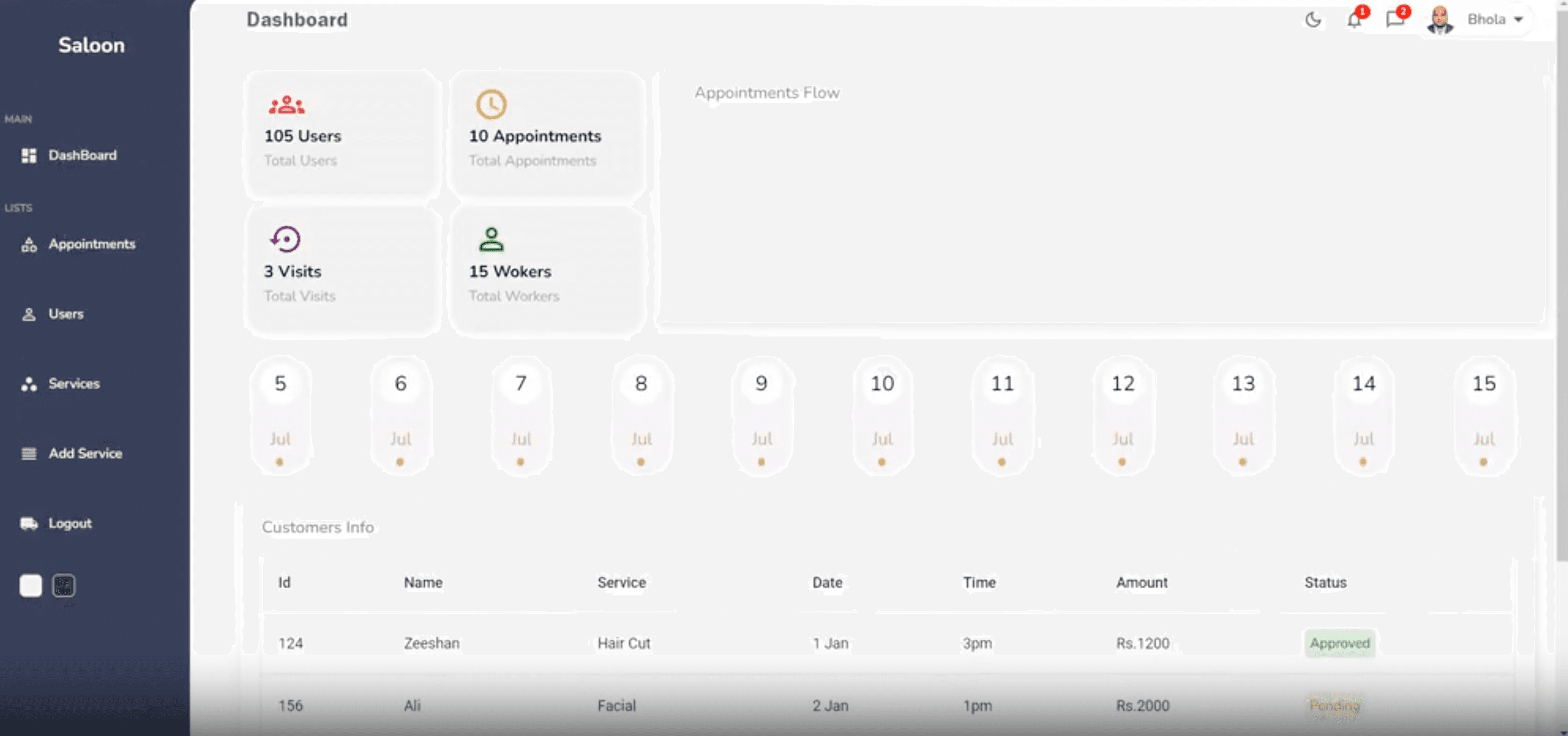
Salon Admin Dashboard – Complete Salon Management Platform Overview The Salon Admin Dashboard is a comprehensive salon management platform designed to streamline and simplify daily business operations. The system provides salon owners and administrators with a centralized dashboard to manage appointments, staff, customers, financial performance, and business analytics from one intuitive interface. The platform was designed to improve operational efficiency, reduce manual administrative work, enhance customer management, and provide real-time business insights that support better decision-making and sustainable business growth. The Challenge Managing a salon involves multiple daily operations, including appointment scheduling, staff coordination, customer management, service tracking, and financial monitoring. Handling these processes manually or across multiple systems can lead to scheduling conflicts, inefficient workflows, data inconsistencies, and limited visibility into overall business performance. The challenge was to build a centralized salon management solution that could simplify these operations while providing a responsive, user-friendly experience for administrators. The Solution The Salon Admin Dashboard was developed as an all-in-one business management platform that brings essential salon operations into a single, easy-to-use interface. Administrators can efficiently manage appointments, monitor staff activities, track customer information, review financial data, and access business analytics. The responsive dashboard ensures that important business information is easily accessible across different devices. By centralizing operational and financial data, the platform helps salon owners save time, improve workflow efficiency, and make informed decisions based on real-time insights. Key Features Appointment Management The dashboard enables administrators to efficiently schedule, manage, and monitor salon appointments. This helps streamline booking operations, reduce scheduling conflicts, and improve the overall customer experience. Staff Management Salon owners and administrators can manage staff information, monitor team activities, and organize operational responsibilities through a centralized system. Customer Management The platform provides customer tracking and management capabilities, allowing businesses to maintain organized customer records and deliver a more personalized service experience. Financial Monitoring Administrators can monitor business revenue and financial performance through a centralized dashboard, making it easier to track salon profitability and identify important financial trends. Business Analytics and Insights The dashboard provides valuable analytics and real-time insights into business operations. These insights help salon owners understand performance, identify opportunities for improvement, and make data-driven business decisions. Responsive Admin Dashboard The platform features a modern and responsive user interface, ensuring a seamless management experience across desktop, tablet, and other supported devices. Centralized Business Operations By bringing appointments, staff, customers, finances, and analytics together, the dashboard reduces the need to manage multiple disconnected tools and simplifies daily salon operations. My Role As a Software Engineer, I contributed to the development of the Salon Admin Dashboard by building and implementing features focused on business management, usability, performance, and scalability. My responsibilities included: Developing responsive and reusable dashboard components Building appointment scheduling and management workflows Implementing staff and customer management features Developing financial tracking and reporting functionality Creating business analytics and data visualization interfaces Integrating frontend components with backend APIs Managing application data and business workflows Improving user experience and dashboard usability Writing maintainable and scalable application code Supporting the overall architecture and development of the platform Technical Focus The project focused on building a scalable and maintainable admin dashboard capable of handling multiple business operations through a centralized platform. Key areas of focus included: Admin Dashboard Development Salon Management Software Appointment Scheduling Systems Customer Relationship Management Staff Management Financial Tracking Business Analytics Data Visualization Responsive Web Design API Integration Scalable Application Architecture Performance Optimization Modern Full-Stack Web Development Results The Salon Admin Dashboard provides salon businesses with a centralized solution for managing essential day-to-day operations. By simplifying appointment scheduling, staff management, customer tracking, financial monitoring, and business analytics, the platform helps improve operational efficiency and reduce administrative complexity. The availability of real-time insights enables salon owners to better understand their business performance and make informed decisions that support customer satisfaction, business growth, and profitability. This project demonstrates expertise in building modern admin dashboards, business management systems, data-driven applications, responsive web interfaces, and scalable full-stack solutions.
Tell us what you're building — we'll help you architect it right the first time.